

Sonic Analysis Provider 
Section titled “Sonic Analysis Provider ”The Sonic Analysis provider listens to each track in the library and works out what it actually sounds like — how energetic it is, how danceable, how cheerful or melancholy, whether it is mostly acoustic or heavily produced, and so on.
These “sonic fingerprints” let Music Assistant (and other plugins, such as Sonic Similarity) find tracks that sound similar to each other, build smart playlists based on mood, and power features that go beyond what genre tags and artist names can describe.
Everything runs locally on the server — no audio is ever sent anywhere. The first time the provider is enabled, about 300 MB of audio-model files are downloaded; after that they are reused.
What is worked out for each track
Section titled “What is worked out for each track”A handful of straightforward measurements:
- Energy — how loud and full-on the track is overall
- Brightness — how bright or dark it sounds (think shimmering cymbals vs. deep bass)
- Harmonic complexity — how rich and varied the harmony is (a simple two-chord folk song scores low; a dense jazz piece scores high)
- Rhythmic regularity — how steady and predictable the beat is
- Loudness and peak level — rough loudness summaries (for proper volume normalization, see the Loudness Analysis provider)
And a set of “feel” scores, each from 0 to 1:
- Danceability — how easy it is to dance to
- Valence — how happy or sad it feels
- Arousal — how calm or intense it feels
- Instrumentalness — how likely it is to have no vocals
- Acousticness — how acoustic vs. electronic/produced it sounds
Alongside these scores, a compact audio fingerprint is saved for every track. Other plugins use this fingerprint to find similar-sounding tracks instantly, without having to listen to them all again — the Sonic Similarity plugin is the main consumer today.
When analysis runs
Section titled “When analysis runs”- Live during playback. When a track that has not been analysed yet is played, it is analysed live during playback.
- Background scan. A background job also works through the rest of the library over time, so coverage grows even without active listening.
- Once per track. Once a track has been analysed, the result is reused on every subsequent play — the analysis is not repeated unless the underlying file changes or a newer model version supersedes the previous one.
- Tracks without a known duration are skipped — a known length is required for the analysis to be consistent.
Tracking progress
Section titled “Tracking progress”Coverage for every audio analysis provider is shown on a single page under Settings → System → Audio analysis.
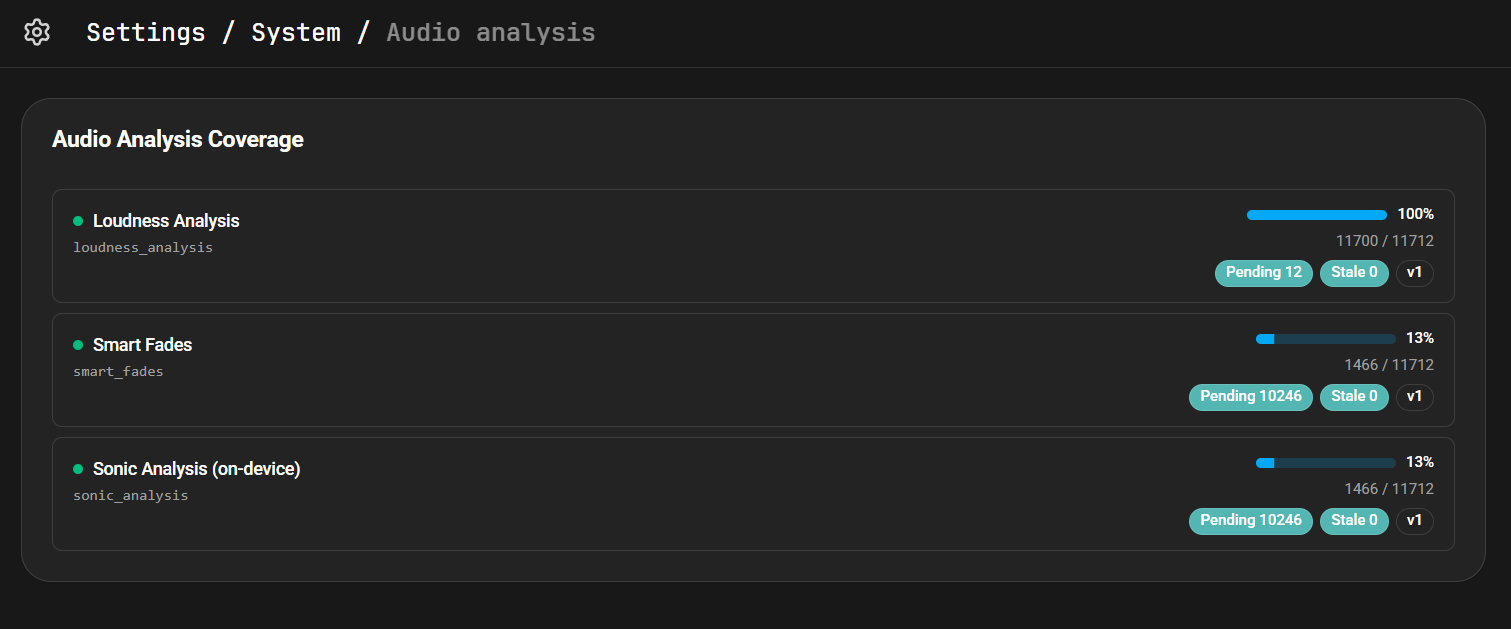
Each row shows the provider’s overall coverage, the count of analysed vs. total tracks, and how many are pending (waiting to be analysed) or stale (analysed by an older model version and due for refresh).
How the data is used
Section titled “How the data is used”- Find similar music — other plugins use the audio fingerprint to suggest tracks that sound like the one currently playing. The Sonic Similarity plugin uses these fingerprints to power library-wide Similar Tracks, radio mode, an “Inspired by recently played” discover row, and optional natural-language search.
- Mood-based playlists — the “feel” scores allow playlists to be built around moods, such as “upbeat and danceable” or “calm and acoustic”.
Settings
Section titled “Settings”- Analysis quality. Controls how many short snippets of each track are analysed. More snippets give more accurate “feel” scores but take longer to process.
- Fast — one snippet per track. Lowest CPU use; good enough for most libraries.
- Balanced — three snippets per track (about 2.4× the CPU of Fast).
- Thorough — eight snippets per track (about 6.6× the CPU of Fast). Most useful when accurate instrumentalness matters, since a single snippet can miss vocals on tracks with long intros.
By default, the first snippet is taken about 45 seconds into the track, so intros are skipped. Shorter tracks are handled automatically.