

Nico Nico 
Section titled “Nico Nico ”Music Assistant has support for Nico Nico Video, a Japanese video-sharing website similar to YouTube, famous for its on-screen scrolling comments that overlay the video. Contributed and maintained by 柴田 Shi-553
Features
Section titled “Features”| Subscription FREE | Yes |
| Self-Hosted Local Media | No |
| Media Types Supported | Artists, Albums, Tracks, Playlists |
| Recommendations Supported | Yes |
| Lyrics Supported | No |
| Radio Mode | Yes |
| Artist Top Tracks Support | Yes |
| Similar Artists Support | No |
| Similar Tracks Support | Yes |
| Maximum Stream Quality | Lossy, AAC (up to ~576 kbps) |
| Login Method | Cookie or Password+MFA |
- Allows searching, playback, and library integration
- Keyword search for Tracks, Playlists (Mylist), and Albums (Series)
- Recommendations based on history and follow activity
- Library support
- Playlists: your own Mylist (read/write)
- Artists: your following artists
Configuration
Section titled “Configuration”Music Assistant supports login-free playback and search on Niconico. Logging in enables personal features such as recommendations, Mylist read/write, and watch history.
Two authentication methods are available:
- Cookie (user_session)
- Email + Password (+ MFA)
Cookie Authentication (user_session)
Section titled “Cookie Authentication (user_session)”Written for Chrome:
- Navigate to https://www.nicovideo.jp/
- Go to View > Developer > Developer Tools. A new side window will open.
- Click the ‘Application’ tab. You might need to expand your window or click the >> button
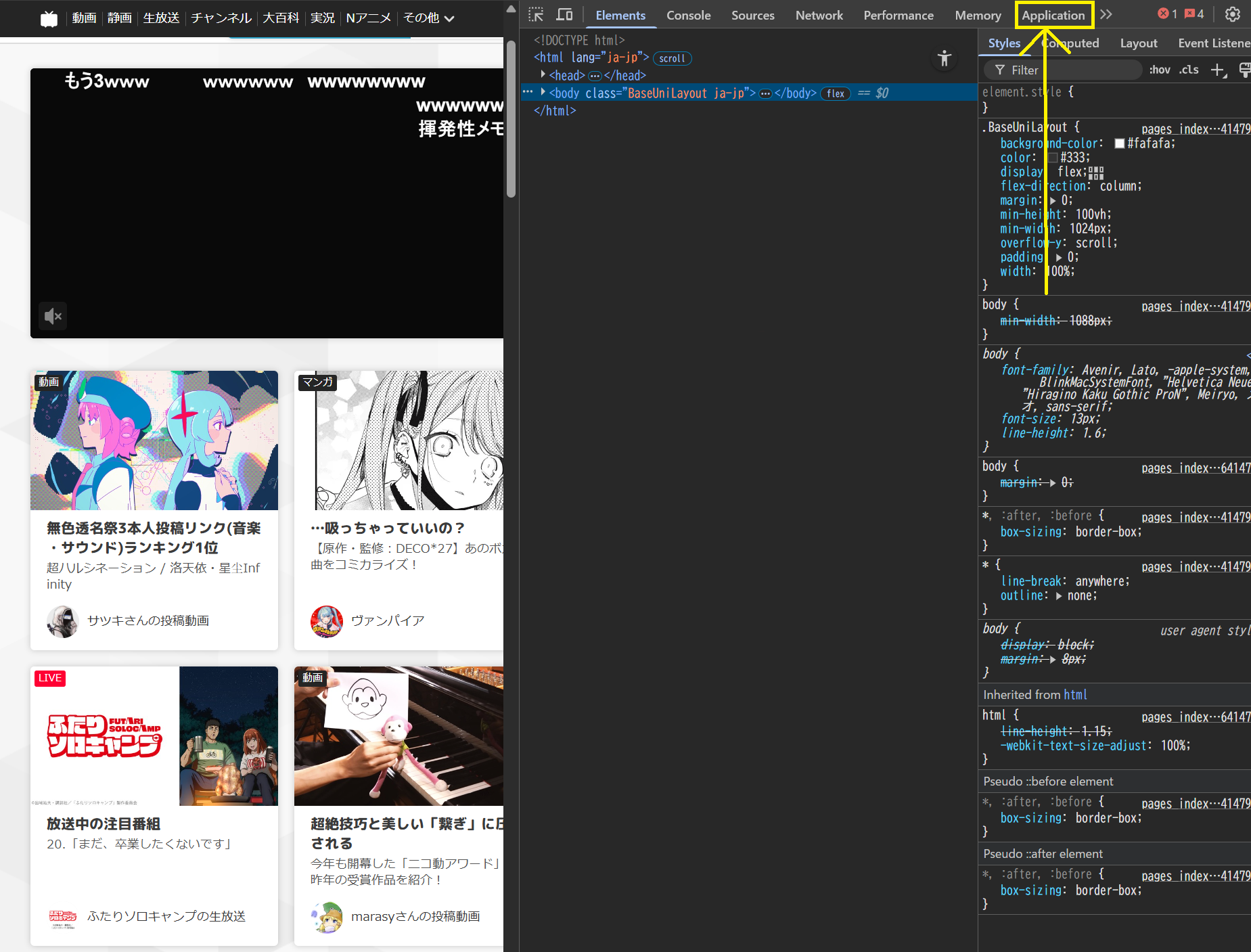
- Under Storage > Cookies, click “https://www.nicovideo.jp” and find the entry called “user_session”
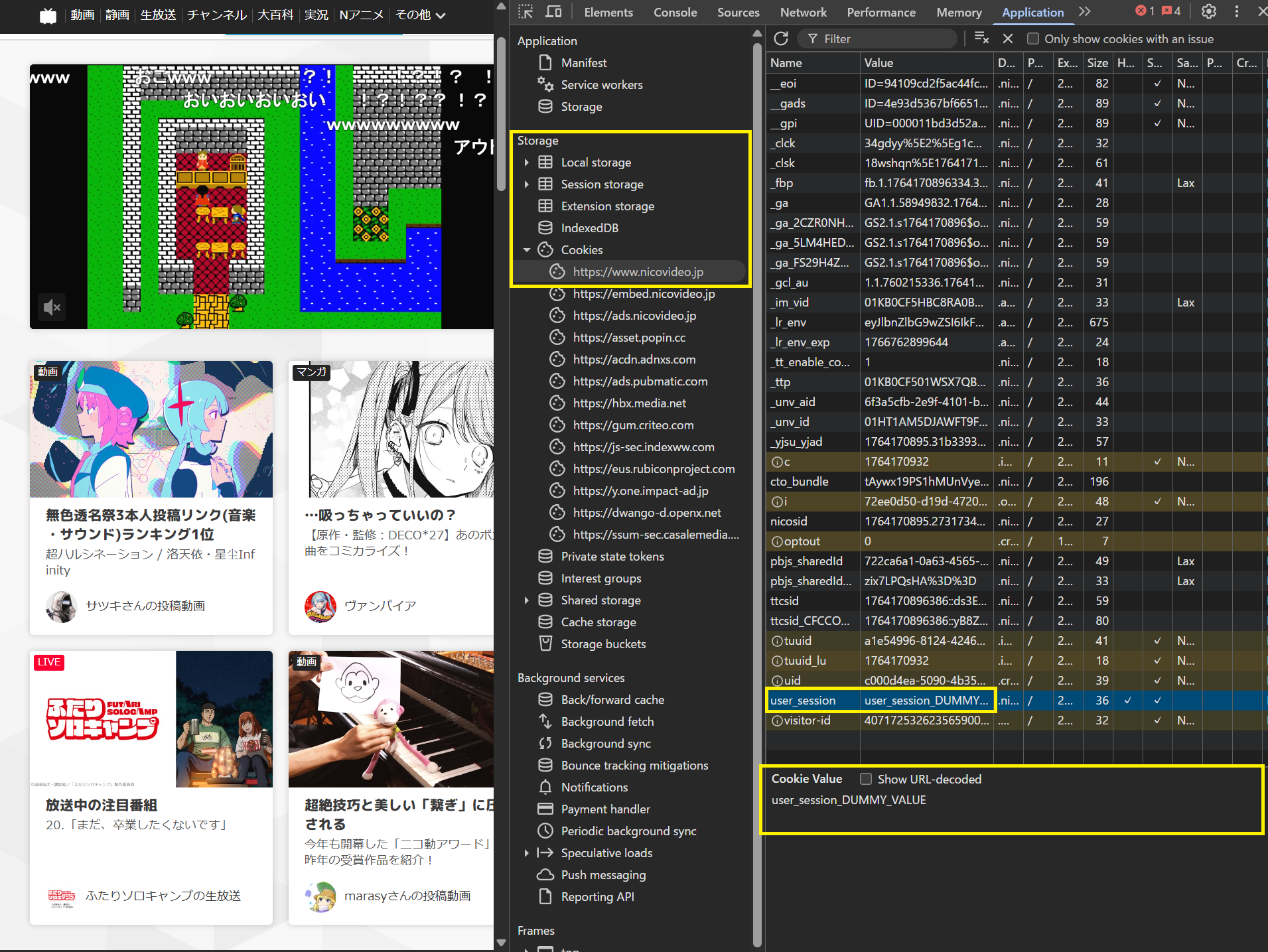
- Click it and copy the cookie value and use this in Music Assistant as the ‘User Session’
- Take note of the “Expires / Max-Age” column. The session will expire on that date and personal features will become unavailable. The above process must then be repeated to obtain a fresh session
Email + Password (+ MFA)
Section titled “Email + Password (+ MFA)”Provide your Niconico account email and password (and MFA if required).
- Automatically relogins every 30 days to refresh the session cookie
- Email login may not be supported in some environments. In that case, please use cookie authentication
Known Issues / Notes
Section titled “Known Issues / Notes”- If you assign an album to a track, the track-specific thumbnail will not be used
Not yet supported
Section titled “Not yet supported”- Nil